image
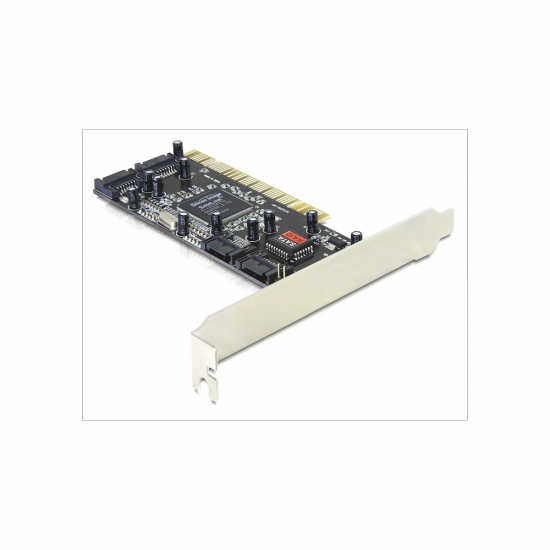
I/O bővítőkártya Best Connectivity PCI-express x1 2x USB 3.0 A FG-EU305A-2-BC01
4 199 Ft


I/O bővítőkártya Best Connectivity PCI-express x1 2x USB 3.0 A FG-EU305A-2-BC01

Cikkszám: 813427
Gyártó : Egyéb
Gyártói cikkszám: FG-EU305A-2-BC01
Megbízhatóság: 100%
 
4 199 Ft
Garancia: 12 hónap
Várható átvétel
PCX átvevő pont dec. 17
Foxpost dec. 19
MPL Automata dec. 19
Posta Pont dec. 19
MPL Futár dec. 19
Tulajdonságok
Gyártó: Best Connectivity
MPN:FG-EU305A-2-BC01,
Processzor gyártója:Best Connectivity,
EAN kód:20042300061,
Garancia:12,
Ajánló
Gembird PEX-COMLPT-01 PCIe x1 multi IO vezérlő
4 599 Ft
BLACKBIRD PCI 4X SATA bővítőkártya (BH1294)
4 599 Ft
Conceptronic Bővítőkártya - EMRICK05BS (PCIe x4 to M.2 NVMe, Heatsink)
4 599 Ft
AXAGON PCEM2-D PCIe NVMe+SATA M.2 adapter
4 399 Ft
BLACKBIRD PCI-E Bővítőkártya 2x Soros RS-232 port BH1261
4 599 Ft
Értékelések
Az értékeléshez be kell jelentkezned.

2020.05.06
  
Incze Csaba
SATA tápot kell rá kötni, hogy mûködjön. Egyébként kiválóan teszi a dolgát.
2018.05.22
  
Czirai Emanuel Attila
Previously, the "C?" should have shown as "CE". In addition: I've figured out why Qubes OS R4.0 (and MemTest86 7.5 by PassMark, in UEFI mode) would not detect&use the keyboard&mouse if they were connected to the USB ports on this card. It's because of an option in BIOS (on motherboard Asus Prime Z370-A) which is found in `Advanced`, under `Platform Misc Configuration`, beneath `PCH - PCI-Express`; the option is called `ASPM` and it has 5 possible values: Auto, L0sL1, L1, L0s, Disabled. L0sL1 and L0s are the problematic ones and they render the Etron EJ186 controller undetectable by . Auto, L1 and Disabled can be used to work around this problem, and thus have mouse & keyboard work after POST too. They already work in BIOS regardless of the value of ASPM here, though. Therefore this works in Linux too! Note: "pci=nomsi" is NOT needed on kernel cmdline.
2018.05.22
  
Czirai Emanuel Attila
This is called `SPEEDDRAGON FG-EU305A-2-BC01 2 X USB 3.0` but I can't find the text "SpeedDragon" anywhere on the box, or on the card. It probably doesn't matter anyway. What I can see on the box: "Best connectivity" "SUPER SPEED USB 3.0 PCI-Express Card" "SuperSpeed USB 3.0 offers faster data transfer speeds than ever before." "2 Ports" "PCI EXPRESS" "USB 3.0 5Gbps" "C?" "RoHS compliant 2002/95/EC" "ISO 9001 14001 16949" "Made in China" "Features & Specification General - PCI-Express 1-Lane (x1) interface - Compliant with Intel's Extensible Host Controller Interface (xHCI) Specification - Supports PCI-Bus Power Management Interface - Specification Revision 1.2 - Supports Standard and Low-profile desktop computer USB Interface - Compliant with Universal Serial Bus 3.0 Specification Revision 1.0 - USB 3.0 Super-Speed (5Gbps) host port(s), backward compatible with USB 2.0 interface - Supports all USB compliant data transfer types (Control/Bulk/Interrupt/Isochronous) - Supports all USB compliant peripherals (e.g. keyboard, mouse, monitor, joystick, etc.) - Full support of real time dynamic insertion and removal of USB devices Package Contents - USB 3.0 PCI-Express Card x 1 - Driver CD x 1 - User Manual x 1 OS Support " Windows XP, VISTA, 7: 32bit & 64 bit " * Specifications are subject to change without prior notice. * All trade names referenced are the registered trademarks of their respective owners. * All images on the packing may differ from the actual product. " There's a sticker that covers something("-BOX" is the only thing that I can see through it), this sticker shows this: " C? FG-EU305A-2-BC01 S/N No. 180201007xx " xx is two digits (ommited) The card has a molex disk drive female connector (male pins) and you're supposed to connect extra power to it. (the connector looks like the white one in this item: `4WORLD 06857 SATA-MOLEX 15CM TÁPKÁBEL`) Here are some excerpts from the manual(SE-MANL-EJ168A-EN-1): " * Based on Etron EJ168A USB 3.0 Host Controller IC * Microsoft derivers for Windows 7/Vista/XP/Server 2008 32-/64b-bit OS * Internal HDD power connector for supplying extra +5V power to the USB ports * Internal HDD power connector LED indicator: Lights up when USB bus power is supplied from the HDD power connector connected to the power supply unit (PSU). * Provides USB 3.0 Super-Speed (5 Gbps) host port, backward compatible with USB 2.0 High-Speed (480Mbps), Full-Speed (12Mbps) and Low-Speed (1.5Mbps) interface SYSTEM REQUIREMENT * Motherboard with one available x1, x4, x8 or x16 PCI-Express 1.0 / 2.0 slot. * PCI Express 2.0 interface is recommended for fully utilizing the USB 3.0 (5 Gbps) bandwidth. * Supported operation system * Optical drive for driver installation " Step 7. in HARDWARE INSTALLATION says: "7. Please connect the power supply unit (PSU) of the computer to our product." (so I guess this means connecting the power supply to the molex is not optional? maybe that's why Asus Prime Z370-A BIOS didn't recognize my keyboard & mouse? connected to a PCIEx1 motherboard slot; yes, I can now confirm that is true: after connecting power to the molex connector of the card, both my mouse and the keyboard (which are USB 2.0) are detected and working within BIOS) I remember seeing "Etron" on the chip(integrated circuit). A connected keyboard & mouse to this card, although detected by and working within BIOS, is it not detected by Qubes OS R4.0 and I thus cannot enter the "Disk password". It's also not detected during Qubes OS Setup (R4.0).
Légy naprakész!
PCX 2006-2025.
Kapcsolat: [email protected]
Cookie / süti kezelés Az oldalon cookie-kat használunk, melynek részleteit itt találod.